Graphics Cards Explained: Choosing the Right GPU for Your Gaming Needs
If you’re building a gaming PC or upgrading an existing system, one component will have a bigger impact on gaming performance than almost any other: graphics cards, also known as the GPU (Graphics Processing Unit). With a huge range of models available at different price points, choosing the right GPU can feel overwhelming. Understanding what a graphics card does and how to match it to your gaming needs will help you make a smarter purchase and avoid overspending.
What Does a Graphics Card Do?
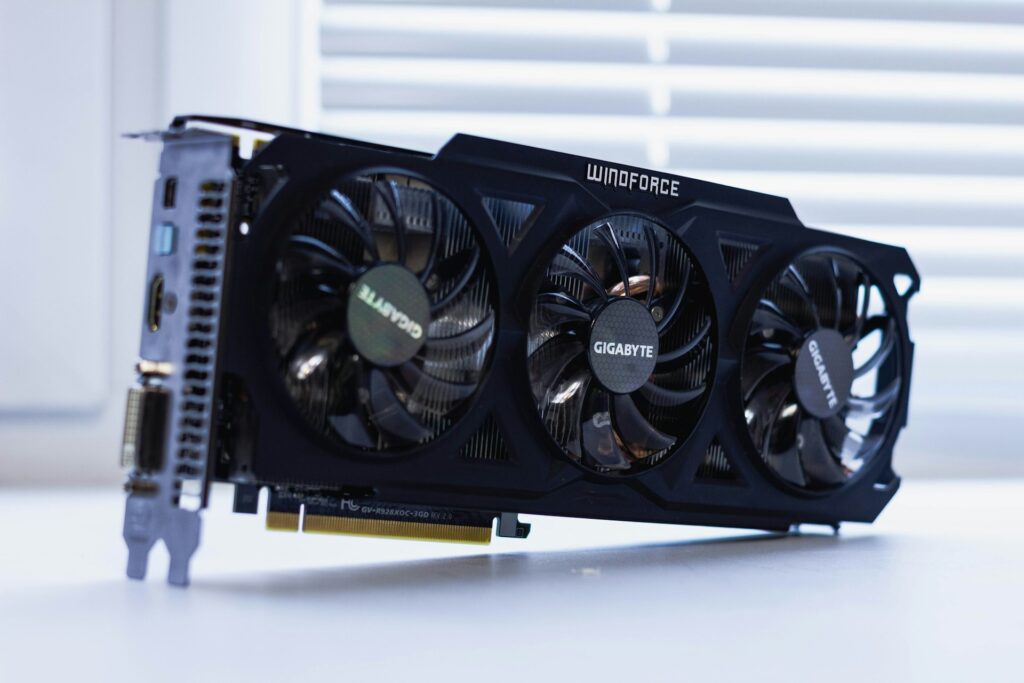
A graphics card is responsible for rendering the images, textures, lighting effects, and animations you see while gaming. The more demanding a game is visually, the more work your GPU must perform.
Modern GPUs not only improve frame rates but also support advanced technologies such as ray tracing, AI-powered upscaling, high-refresh-rate gaming, and ultra-high resolutions. Whether you’re playing competitive esports titles or visually stunning open-world adventures, your graphics card largely determines the quality of your gaming experience.
Why Your Gaming Goals Matter
Before buying a GPU, think about the types of games you play and your monitor’s resolution. A graphics card that is perfect for 1080p gaming may struggle at 4K, while a high-end GPU could be unnecessary if you only play less demanding titles.
Generally speaking:
- 1080p Gaming: Ideal for budget and mid-range GPUs.
- 1440p Gaming: Requires more graphics power for higher settings and frame rates.
- 4K Gaming: Demands a premium GPU for smooth performance.
- Competitive Gaming: Prioritises high frame rates over graphical fidelity.
- Single-Player AAA Gaming: Benefits from stronger GPUs capable of handling advanced visual effects.
Matching your GPU to your intended gaming resolution is one of the most important purchasing decisions you can make.
Entry-Level graphics cards
Entry-level graphics cards are suitable for casual gamers, esports players, and those upgrading from integrated graphics.
These GPUs can comfortably handle games such as Fortnite, Rocket League, League of Legends, Valorant, and Minecraft at 1080p resolution. Many modern entry-level cards can also run newer AAA games by reducing graphical settings.
The main advantage of this category is affordability. Players can enjoy solid gaming performance without investing heavily in hardware that may exceed their requirements.
Mid-Range graphics cards
For many gamers, the mid-range segment offers the best balance between price and performance.
A mid-range GPU typically delivers excellent 1080p performance and strong 1440p gaming capabilities. This category appeals to gamers who want higher graphical settings, smoother frame rates, and future-proofing for upcoming game releases.
Popular features found in mid-range graphics cards often include ray tracing support, advanced video encoding capabilities for content creators, and AI-powered technologies designed to boost performance without sacrificing visual quality.
For the average PC gamer, this is often the sweet spot where gaming quality and value meet.
High-End and Enthusiast GPUs
High-end GPUs are designed for gamers who demand maximum settings, ultra-high resolutions, and cutting-edge visual effects.
These cards excel at:
- 4K gaming
- Ray tracing-intensive titles
- Virtual reality gaming
- High-refresh-rate monitors
- Content creation and video editing
While enthusiast-grade GPUs offer incredible performance, they also come with significantly higher costs. Unless you regularly play the latest AAA games at high resolutions, you may not fully utilise the extra power available.
Understanding VRAM on graphics cards
VRAM (Video Random Access Memory) plays an important role in gaming performance. It stores textures, graphical assets, and other visual data that the GPU needs quick access to.
Games with detailed graphics and higher resolutions generally require more VRAM.
As a guideline:
- 8GB VRAM remains suitable for many 1080p gaming scenarios.
- 12GB to 16GB provides greater flexibility for modern 1440p gaming.
- Higher capacities are beneficial for 4K gaming and professional creative workloads.
More VRAM does not automatically mean better performance, but insufficient VRAM can limit a graphics card in demanding games.
Power Supply and Compatibility
Before purchasing a new GPU, ensure your PC can support it.
Check:
- Power supply wattage requirements
- Available PCIe power connectors
- Physical case dimensions
- Motherboard compatibility
- Cooling and airflow capacity
Many gaming enthusiasts overlook these considerations and discover their new graphics card won’t fit properly or requires a larger power supply.
Features Worth Considering
Modern graphics cards offer more than raw performance. Important features include:
- Ray tracing for realistic lighting and reflections
- AI upscaling technologies that improve performance
- Frame generation technologies for smoother gameplay
- Hardware encoding for game streaming and video creation
- Support for multiple high-resolution displays
These additional features can extend the lifespan of your investment and improve your overall gaming experience.
Final Thoughts
Choosing the right GPU isn’t about buying the most expensive graphics card available. It’s about selecting a model that matches your gaming habits, monitor resolution, budget, and future goals.
For most gamers, a quality mid-range GPU offers the best value and excellent gaming performance. Competitive players may prioritise frame rates at 1080p, while enthusiasts seeking immersive visuals at 4K will benefit from a more powerful solution. By understanding the differences between GPU categories, VRAM requirements, and modern gaming technologies, you can confidently select a graphics card that delivers the performance you need today and for years to come.